Workplace Technology
SMARTER SHARED SPACES
Meeting Room Booking
Systems & Displays
See room availability at a glance and simplify meeting-room booking with Joan and SyncSign.
Find your room-booking solution
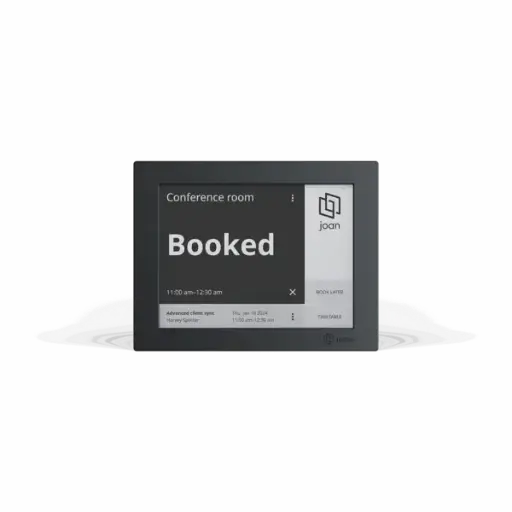
Joan
Book right at the room
- 6-inch ePaper touchscreen
- Wireless, magnetic mounting
- Wi-Fi, calendar & device licence required
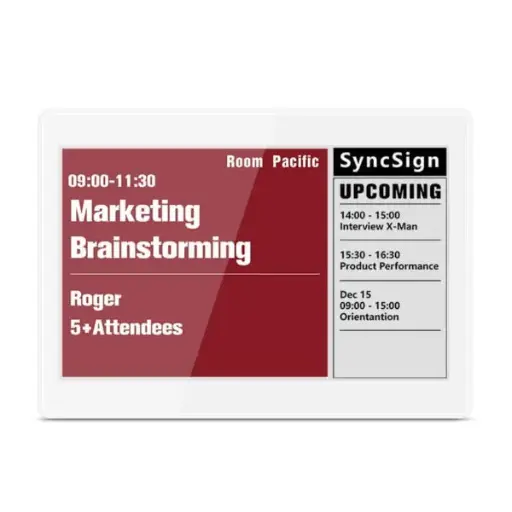
SyncSign
Room availability at a glance
- 2.9, 4.2 & 7.5-inch e-ink displays
- Bookings from a supported calendar
- Compatible powered hub required
Browse the range
Meeting-room displays, hubs and accessories.
Before you order
Four quick checks to help you choose.
Which calendar do you use?
Tell us whether you use Microsoft 365, Google Workspace or Exchange. Integration requirements vary by system; SyncSign Exchange integration requires its On-Premise Service.
Do I need a subscription or hub?
Each Joan device needs a device licence. SyncSign displays need a compatible hub. Confirm licence costs, included accessories and setup requirements before ordering.
Which display size suits my space?
Consider viewing distance and the information you want to show. The compact 2.9-inch SyncSign suits desks and phone pods; compare 4.2 and 7.5-inch displays for meeting-room signage.
Joan RE or Pro?
Both offer touchscreen room booking. Pro adds Smart Magnet room recognition so you can move a device between configured room mounts. Confirm the features and licence that suit your workplace.
Need help choosing?
Tell us about your rooms and calendar. We'll help you find the right setup.
SMARTER SHARED SPACES
Meeting Room Booking
Systems & Displays
See room availability at a glance and simplify meeting-room booking with Joan and SyncSign.
Find your room-booking solution
Joan
Book right at the room
- 6-inch ePaper touchscreen
- Wireless, magnetic mounting
- Wi-Fi, calendar & device licence required
SyncSign
Room availability at a glance
- 2.9, 4.2 & 7.5-inch e-ink displays
- Bookings from a supported calendar
- Compatible powered hub required
Browse the range
Meeting-room displays, hubs and accessories.
Before you order
Four quick checks to help you choose.
Which calendar do you use?
Tell us whether you use Microsoft 365, Google Workspace or Exchange. Integration requirements vary by system; SyncSign Exchange integration requires its On-Premise Service.
Do I need a subscription or hub?
Each Joan device needs a device licence. SyncSign displays need a compatible hub. Confirm licence costs, included accessories and setup requirements before ordering.
Which display size suits my space?
Consider viewing distance and the information you want to show. The compact 2.9-inch SyncSign suits desks and phone pods; compare 4.2 and 7.5-inch displays for meeting-room signage.
Joan RE or Pro?
Both offer touchscreen room booking. Pro adds Smart Magnet room recognition so you can move a device between configured room mounts. Confirm the features and licence that suit your workplace.
Need help choosing?
Tell us about your rooms and calendar. We'll help you find the right setup.